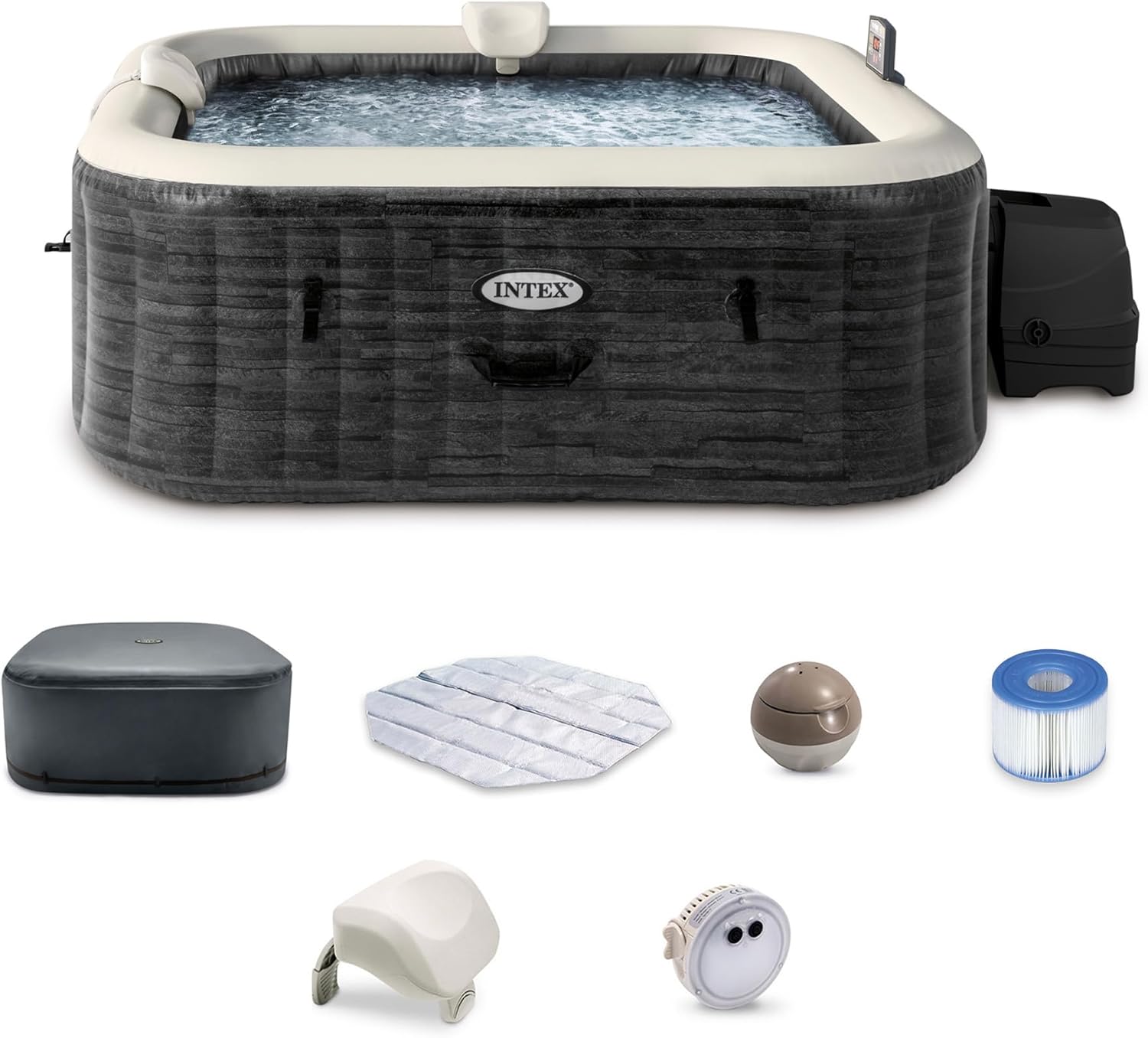
The Ultimate Intex PureSpa Troubleshooting Guide
It’s a moment every Intex PureSpa owner dreads. You’re ready to unwind, you walk out to your personal oasis, and you’re greeted by a dreaded error code and cold water. That feeling of relaxation instantly turns to frustration. But don’t panic. Most PureSpa problems are surprisingly common and can be fixed with a few simple steps.
As long-time Intex PureSpa owners and testers, we’ve encountered nearly every beeping code and frustrating gurgle imaginable. We’ve spent hours diagnosing issues, speaking with technicians, and finding what *actually* works. We’ve compiled our years of hands-on experience into this single, definitive guide. Think of us as your calm, expert companion, here to walk you through each problem, step-by-step, and get you back to bubbling bliss.
Quick Navigation: Find Your Problem
In a hurry? Jump directly to the solution you need.
- Error Code E90 (No Water Flow)
- Error Code E91 (Salt/Chlorine Issue)
- Error Code E92 (High Salt Level)
- Error Code E94 (Water Too Hot)
- Error Code E95 (Water Too Cold)
- Error Code E96 (System Error / Pump Fault)
- Error Code E97 (Heater Dry-Fire)
- Error Code E98 (Ambient/Overheat Protection)
- Error Code E82 (Transmission Signal Failure)
- Code “END” (Heating Cycle Finished)
- Full Error Code Reference Table
- Problem: Spa Not Heating
- Problem: Weak Bubbles / Jets
- Problem: Jets Stay On But Heat/Filter Shut Off
- Problem: No Display / Control Unit Won’t Turn On
- Problem: GFCI Plug Keeps Tripping
- Problem: Finding & Fixing a Leak
- Problem: Control Panel / Remote Unresponsive
- Problem: Intex Link Wi-Fi App Won’t Connect
- Problem: Cloudy, Foamy, or Smelly Water
- Guide: Winterizing & Off-Season Storage
- Reference: Model-Specific Differences
- Advanced: Testing the Pressure/Flow Switch
- When to DIY vs. Call Intex Support
- Frequently Asked Questions
Part 1: Your Essential Troubleshooting Toolkit
Before you start, having a few basic tools can make the process much smoother. You don’t need to be a master technician, but these items can help you diagnose and fix 90% of all issues.
- Spare Intex Filter Cartridges (Type S1): The #1 cause of problems. Having a clean, dry spare on hand is the fastest way to rule out a clogged filter.
- Garden Hose with a High-Pressure Nozzle: Essential for cleaning filters and back-flushing connections.
- A Bucket: Useful for catching water and performing an “airlock purge.”
- Hose-End Water Filter: If you have hard water, filling your spa with this can prevent future problems.
- Teflon Tape (Plumber’s Tape): For creating a better seal on hose connections if you have minor drips.
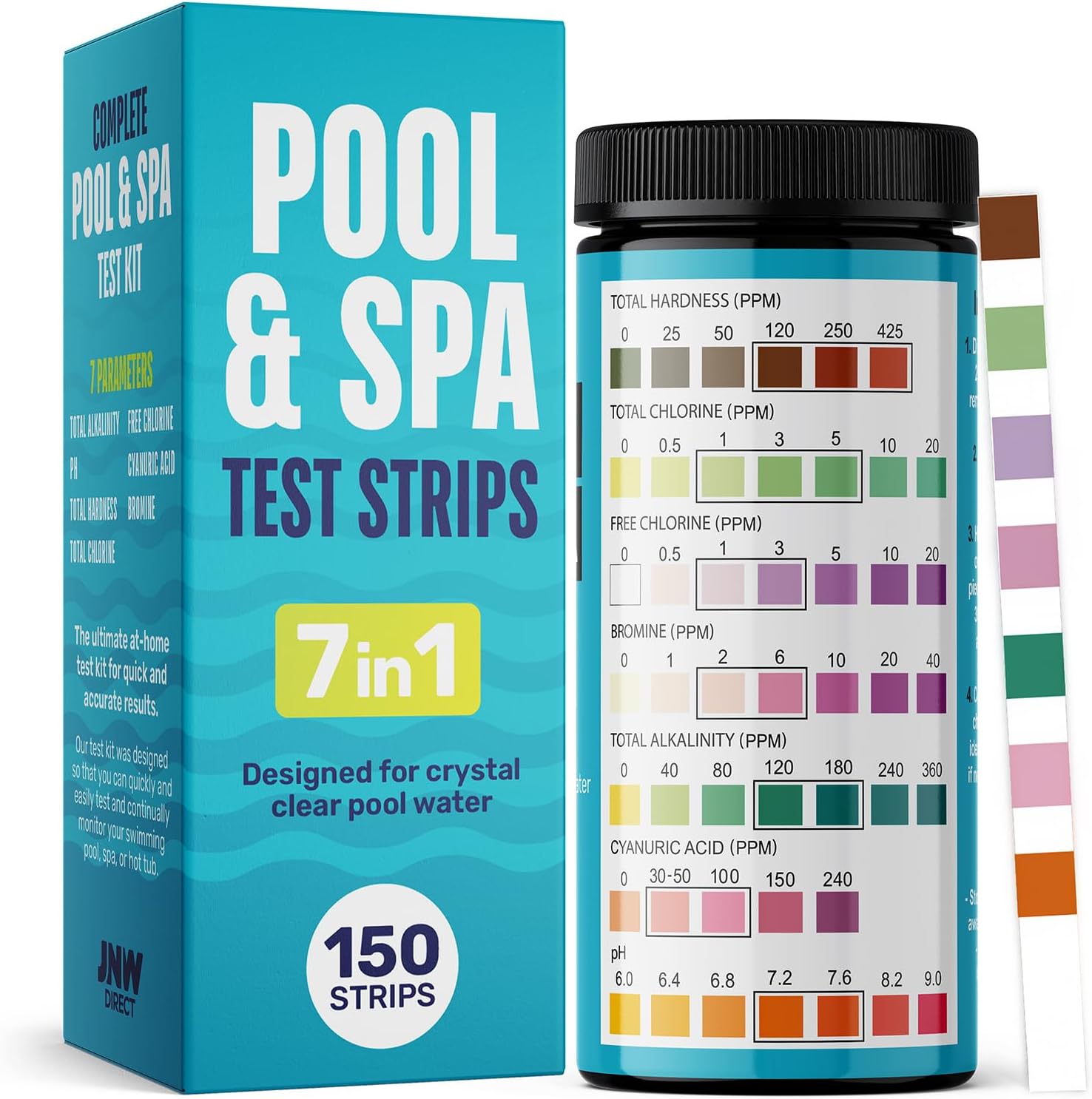
Beyond that starter kit, a handful of owners eventually want to go a step further and diagnose things the way a technician would. If you plan on tackling anything more advanced than a filter swap, it’s worth adding a basic multimeter, a set of saltwater and standard pool test strips, a small tube of dielectric grease for electrical connections, and a soft-bristle brush for the plastic grids. None of these are required for the everyday fixes in this guide, but they turn a two-trip repair into a one-trip repair, which matters a lot when your spa is sitting half-drained in the backyard.
Pro-Tip: Photograph Your Setup Before You Start
Before you disconnect any hose or open any panel, take a few photos on your phone. It sounds unnecessary until you’re staring at two identical-looking fittings an hour later trying to remember which one went where. This is especially useful the first time you remove the filter housing or the electrolytic cell, since the orientation of certain gaskets and grommets does matter for a watertight seal.
Part 2: Decoding the Intex PureSpa Error Codes
This is the heart of our guide. We’ll break down each code, explain the common causes, and give you a clear, step-by-step action plan, starting with the easiest fixes first.
No Water Flow
What it means: The E90 code is the most common of all. It means the control unit is not detecting adequate water flow through the system. Without proper flow, the heater will not activate as a safety measure.
Common Causes:
- The filter cartridge is dirty or clogged.
- The water level in the spa is too low.
- The filter inlet/outlet connections on the spa liner are clogged with debris.
- There is an airlock in the pump system.
- A faulty water flow sensor (less common).
Step-by-Step Solutions:
- Power Cycle the Unit: The first step for any electronic glitch. Press the GFCI reset button on your plug, wait 30 seconds, and turn the pump back on. This can sometimes clear a temporary sensor misreading.
- Check & Clean Filter Cartridges: This is the culprit 80% of the time.
- Turn off the pump.
- Unscrew the filter housing inside the tub and remove the cartridge.
- Crucial Test: With the filter *out*, turn the pump back on. If the E90 code disappears and water starts flowing, you’ve found your problem. Your filter is too clogged.
- Thoroughly clean the filter with a high-pressure hose or, ideally, replace it with a new one.
- Verify Water Level: The water level must be between the MIN and MAX lines printed on the inside of the spa liner. If it’s too low, the pump can’t draw water effectively. Add water as needed.
- Check Inlet/Outlet Grids: Ensure the two plastic grids on the inside of the tub (where water flows in and out) are not blocked by debris, toys, or towels.
- Purge a Potential Airlock: Sometimes air gets trapped in the lines, especially after a water change.
- With the pump running, unscrew the top filter outlet fitting on the outside of the tub *just enough* for air and water to start sputtering out.
- Once you have a steady stream of water, retighten the fitting. This can release trapped air.
Pro-Tip: The Two-Filter System
Always have at least two filter cartridges. Keep one in the spa and one clean and dry on the shelf. When you get an E90, you can immediately swap in the clean one. This gets you back up and running instantly and confirms if the old filter was the issue.
Low Salt / Water Chemistry Issue
What it means: This code appears on Intex’s Saltwater Sanitation models. It means the system has detected that the salt level in the water is too low for the chlorinator to function, or that the titanium plates have scale buildup.
Common Causes:
- Not enough salt was added to the water during setup.
- Water was splashed out or drained and refilled without adding more salt.
- Hard water scale has built up on the system’s electrolytic cell.
Step-by-Step Solutions:
- Test and Add Salt: Use saltwater test strips to check your salt level. The ideal range is typically 2000-3000 ppm. If low, add pure, non-iodized pool salt (do NOT use table salt) in small increments, letting it dissolve completely before re-testing.
- Clean the Electrolytic Cell: If salt levels are correct, the cell likely needs cleaning.
- Follow your manual’s instructions for removing the cell.
- Soak the cell in a container of pure white vinegar for several hours to dissolve the calcium buildup.
- Gently rinse and reinstall.
This is a key difference we note in our Intex vs. Coleman comparison, as Coleman/Bestway tubs do not use saltwater systems.
Salt Level Too High
What it means: E92 is essentially the mirror image of E91. Instead of not enough salt, the saltwater chlorinator has detected a concentration above roughly 2,500-3,000 ppm, which is high enough that the cell can no longer regulate output safely. It’s a less common code than E91 simply because most owners under-salt rather than over-salt, but it happens most often after topping off with a pre-mixed saltwater solution instead of plain water, or after adding a full bag of salt without testing first.
Common Causes:
- Too much pool salt was added relative to the spa’s actual water volume.
- The spa was topped up with water that was already salted, effectively doubling the concentration.
- A drop in water level (from evaporation or splash-out) has concentrated the existing salt into a smaller volume of water.
Step-by-Step Solutions:
- Test First, Don’t Guess: Before doing anything, confirm the reading with a fresh set of saltwater test strips or a digital salt meter if you have one. Occasionally a dirty or old test strip gives a false high reading.
- Dilute the Water: The only real fix for genuinely high salt is dilution. Drain a portion of the spa water — typically 15-25% — and refill with fresh, unsalted water. Re-test after the fresh water has circulated for at least 15-20 minutes.
- Avoid Pre-Salted Top-Offs: Going forward, only top off evaporated water with plain tap water (ideally run through a hose-end filter). Add salt separately, and only after testing.
- Recheck the Cell: While the water is lower, it’s a good time to inspect the electrolytic cell for scale, since heavy scaling can sometimes produce an inaccurate high-salt reading even when true salinity is normal.
Water Temperature Errors
What they mean: These codes are all related to water temperature sensors.
- E94: Water temperature is too high (above 122°F / 50°C). This is a safety shutdown.
- E95: Water temperature is too low (below 32°F / 0°C).
- E97: Heater Dry-Fire Protection. This is a serious error, often linked to an E90 (no flow) condition that wasn’t resolved.
Step-by-Step Solutions:
- For E94 (Too Hot): Turn off the heater and remove the spa cover. Let the water cool down naturally. This can happen if the spa is left running in direct, intense sunlight. Once cooled, the error should clear.
- For E95 (Too Cold): This means your spa’s water is near freezing. Standard Intex spas are not designed for winter use. You must drain and store the unit immediately to prevent freeze damage. Only specific models from other brands are suitable, as detailed in our guide to the best inflatable hot tub for winter.
- For E97 (Dry-Fire): This often indicates a severe flow problem (see E90) that caused the heater to run without water, or a faulty thermal fuse. Try all the E90 steps. If the error persists, it’s a critical fault that requires contacting Intex support.
A quick note on naming, since it trips a lot of owners up: depending on your manual’s print run and region, you may see E94 and E95 swapped, or see them referred to as “high temp” and “low temp” instead of specific numbers. If your display shows a temperature-related code and the water genuinely feels hot or cold to the touch, trust what you feel over the exact digits and apply the matching solution above.
System Error / Pump Fault
What it means: The E96 code is the most serious. It’s a general “system error” that indicates an internal fault with the control base—it could be the pump, the circuit board, or another critical component.
Step-by-Step Solutions:
- Perform a Hard Reset: This is your only user-serviceable option. Unplug the unit from the wall outlet completely. Wait at least 5-10 minutes to allow all internal capacitors to discharge. Plug it back in and turn it on.
- Contact Intex Support: If the E96 error returns after a hard reset, the problem is internal and not user-fixable. Do not attempt to open the control base. Contact Intex support with your model number and proof of purchase. This is now a warranty issue.
Ambient Temperature / Overheat Protection
What it means: E98 signals that either the water or the surrounding ambient air has reached an extreme high, generally cited around 131°F (55°C). Unlike E94, which is purely about water temperature, E98 is a broader overheat protection that also factors in the environment the control base itself is sitting in. It’s most common in peak summer, especially for spas set up on dark decking, in direct sun, or right next to another heat source like a pool heater or an AC condenser unit.
Common Causes:
- The control base is in direct sunlight or sitting on hot pavement/decking that radiates heat back into the unit.
- The spa area has poor airflow, trapping heat around the control base’s ventilation slots.
- The heater has been left running continuously during an already-hot stretch of weather.
Step-by-Step Solutions:
- Move the Control Base Into Shade: If possible, reposition the spa or add a simple sunshade so the control unit itself isn’t baking in direct sun.
- Improve Airflow: Make sure nothing (furniture, a storage box, a fence panel) is blocking the vents on the control base housing.
- Let Everything Cool Down: Turn the heater off, remove the cover during the hottest part of the day, and let both the water and the surrounding air drop back to a normal range before restarting.
- Reduce Set Temperature in Summer: There’s rarely a need to run a spa at 104°F when it’s already 95°F outside. Lowering your target temperature in peak summer reduces how hard the heater has to work and how often E98 shows up.
Transmission Signal Failure
What it means: This code points to a communication breakdown between the control panel display and the main control base, rather than a water or temperature problem. It’s frequently triggered by an unusual habit: using the GFCI/RCD reset button on the power plug as if it were an everyday on/off switch. The GFCI is a safety device, not designed for repeated daily cycling, and doing so can desync the signal between the display and the base.
Step-by-Step Solutions:
- Stop Using the GFCI as a Switch: Always use the power button on the control panel itself to turn the spa on and off. Reserve the GFCI reset purely for actual trips.
- Turn the Control Base Off at the Socket: Rather than at the RCD, switch off the wall outlet the base is plugged into.
- Hold the Power Button: With the base off, hold the power button on the control panel down until the display goes completely blank.
- Restore Power in Sequence: Turn the wall socket back on, press the reset button on the RCD/GFCI plug, and then press the power button on the panel to switch the display back on.
- Confirm the Signal Has Re-Synced: The E82 code should clear once power is restored in this order. If it reappears immediately without you touching the GFCI, the cable between the panel and base may be damaged or the connector may need reseating.
Not an Error!
What it means: The “END” code often flashes after the spa has reached its set temperature and the heater has run for its 72-hour cycle. This is a normal function, not a fault. The heater has simply turned off after its maximum continuous runtime. To start heating again, just press the heat button.
Full Intex PureSpa Error Code Reference Table
Once you’ve owned a PureSpa for a season or two, it helps to have every code in one place instead of scrolling back through the guide. Bookmark this table for quick reference the next time something flashes on the display.
| Code | Meaning | First Thing to Check |
|---|---|---|
| E90 | No water flow detected | Filter cartridge and water level |
| E91 | Salt level too low (saltwater models) | Test and add non-iodized pool salt |
| E92 | Salt level too high (saltwater models) | Dilute with fresh water |
| E94 | Water temperature too high | Remove cover, let it cool |
| E95 | Water temperature too low | Drain and store; not built for freezing |
| E96 | General system/pump fault | Full hard reset, unplug 5-10 minutes |
| E97 | Heater dry-fire protection | Resolve any flow issue first |
| E98 | Ambient/overheat protection | Move control base out of direct sun |
| E82 | Transmission signal failure | Stop using GFCI as on/off switch |
| END | 72-hour heating cycle complete | Not an error — press heat to resume |
If your display shows a code that isn’t on this list, it’s likely a regional variant or an older model’s numbering. Cross-reference your exact model number (printed on the control base label) against your printed manual, since Intex has adjusted its code scheme slightly across different PureSpa generations.
Part 3: Solving Common Problems (Without Error Codes)
Sometimes your spa has a problem but doesn’t show an error code. Here’s how to tackle the most common issues.
Problem: My Spa Isn’t Heating or is Heating Very Slowly
This is often linked to the same causes as an E90 error. The heater needs good water flow to work.
- Solution #1: Clean Your Filter! A clogged filter reduces water flow, which tells the heater to work less efficiently or not at all. This is always the first thing to check.
- Solution #2: Check the Heat Button & Temp Setting: Ensure the heat button is activated (the flame icon should be red) and the set temperature is higher than the current water temperature.
- Solution #3: Use the Cover: The spa will not heat effectively without the insulated cover on. Leaving it off is like trying to heat your house with the windows open in winter.
- Solution #4: Ambient Temperature: Intex spas are not designed to operate in air temperatures below 40°F. If it’s too cold outside, the heater simply can’t keep up with the heat loss.
If you’ve worked through all four solutions and the water still isn’t climbing at all — not even a degree or two after several hours — the issue may have moved from a flow restriction to an actual component failure. A worn heating element, a failed thermistor (the sensor that reports water temperature to the control board), or a broken thermal fuse can all present as “runs fine, just never heats.” None of these are user-repairable on most PureSpa models, since the heater assembly is sealed for safety, so this is where you’d start a support ticket with Intex rather than keep chasing the same filter-and-flow checklist.
Problem: The Bubbles/Jets Seem Weak
If your bubble massage feels less than invigorating, there are a few simple checks.
- Solution #1: Check Water Level: If the water is too low, the system can’t perform optimally. Top it off to the middle of the MIN/MAX range.
- Solution #2: Check for Kinks: Ensure the hoses connecting the control base to the tub are not kinked or constricted.
- Solution #3: It’s an Air Blower, Not a Water Pump: It’s important to remember that the bubbles are created by an air blower, not high-pressure water jets like a traditional spa. Manage your expectations—it’s a relaxing effervescence, not a deep-tissue massage. This is true for all AirJet-style tubs, including those from Coleman and Bestway.
Problem: Jets Keep Running But Heat and Filter Shut Off
This is a strange-feeling problem because there’s no error code on the display at all — the spa simply seems to “half work.” Owners typically notice it after the spa has been left running unattended for an extended stretch, such as while away on a trip.
- Solution #1: Suspect a Flow or Pressure Switch Fault First: If the pressure switch isn’t sensing enough flow to satisfy its threshold, the control board can shut down the heater and filtration circuit as a protective measure while still allowing the separate air-blower jets to keep running, since they’re on an independent circuit. Power the unit down, pull the filter, make sure every jet valve is fully open, and power back up to see if flow-dependent functions return.
- Solution #2: Look for a Partially Closed Valve: Many PureSpa models use a simple tee-handle valve to isolate the filter housing for cartridge changes. It’s easy to assume the valve is open just because the handle is in the “up” position, but on some units the internal gate can still be mostly closed even with the handle raised. Fully cycle the valve open and closed a couple of times to confirm it seats correctly.
- Solution #3: Check for Debris on the Impeller: If the pump has been drawing in fine debris, it can wrap around the impeller and reduce flow just enough to trip the pressure switch without stopping the pump outright. This typically requires opening the pump housing, so if you’re not comfortable doing that yourself, this is a good moment to bring in a pool/spa technician.
- Solution #4: Rule Out a Thermal Overload: If the spa was left running non-stop for an extended period, a thermal cutoff can trip as a precaution even without a specific error code showing. A full unplug-and-wait reset, followed by a shorter run cycle, is the standard first response.
Problem: No Display / Control Unit Won’t Turn On At All
Before assuming the worst, this is one of the most frequently self-resolved issues, and it’s almost never the expensive fault owners initially fear.
- Solution #1: Confirm It’s Actually Plugged In: It sounds obvious, but check both ends — the wall outlet and the connection between the control panel cable and the control base. These connectors can work loose, especially if the spa has been moved or the cord has been stepped on.
- Solution #2: Check for a Power Outage or Tripped Breaker: Confirm other devices on the same circuit are getting power. If the household circuit breaker has tripped, reset it. Outdoor circuits, which spas are almost always plugged into, are especially prone to tripping after rain or heavy dew.
- Solution #3: Reset the GFCI/RCD Plug: Nearly every Intex spa power cord includes a GFCI (Ground Fault Circuit Interrupter) plug with its own reset button, separate from your household breaker. Press this reset button firmly; you should feel or hear a click.
- Solution #4: Inspect the Panel Cable: If the outlet and breaker both check out but the display is still dead, the control panel’s cable itself may be damaged, particularly at the point where it enters the control base. Look for pinching, cracking, or moisture intrusion.
- Solution #5: Rule Out a Dead Control Unit: If none of the above restores the display, the control unit itself has likely failed internally. This isn’t something to open and repair yourself — contact Intex support with your model number and proof of purchase.
Problem: The GFCI Plug Keeps Tripping
A GFCI (sometimes called an RCD outside the US) is designed to cut power instantly if it senses even a tiny imbalance in current, which usually means water has found a path somewhere it shouldn’t. An occasional trip during a storm is normal. A GFCI that trips every few minutes, or the moment you plug the spa in, points to a real problem that needs to be found before you keep resetting it.
- Solution #1: Check for Standing Water Around the Plug: Rain, sprinkler overspray, or splashed spa water pooling around the plug or the GFCI head itself is the single most common trigger. Relocate the plug to a dry, covered spot, ideally elevated off the ground.
- Solution #2: Inspect the Power Cord for Damage: Look along the entire length of the cord for nicks, cracks, or chew marks (pets and rodents are surprisingly common culprits with outdoor cords). Any exposed wire means the cord needs to be replaced, not taped over.
- Solution #3: Test on a Different, Known-Good Outlet: If possible, try the spa on a separate outlet or circuit to determine if the fault is with the household wiring or the spa’s own GFCI plug.
- Solution #4: Isolate the Heater: If the GFCI only trips once the heater kicks on (rather than immediately at power-up), that points toward the heating element itself developing a ground fault, which is a job for a technician, not a DIY fix.
- Solution #5: Don’t “Fight” the GFCI: Resist the temptation to hold the reset button down repeatedly or find a way to bypass it. The GFCI is what keeps a water-and-electricity appliance safe to touch; a GFCI that trips repeatedly is protecting you from a real fault, not malfunctioning for no reason.
Problem: I Think My Hot Tub is Leaking
First, don’t panic. Differentiate between a real leak and water from splashing.
- How to Find a Leak: Mix some dish soap and water in a spray bottle. Dry the outside of the tub completely. Spray the soapy water along the seams. If there’s an air leak, it will form bubbles.
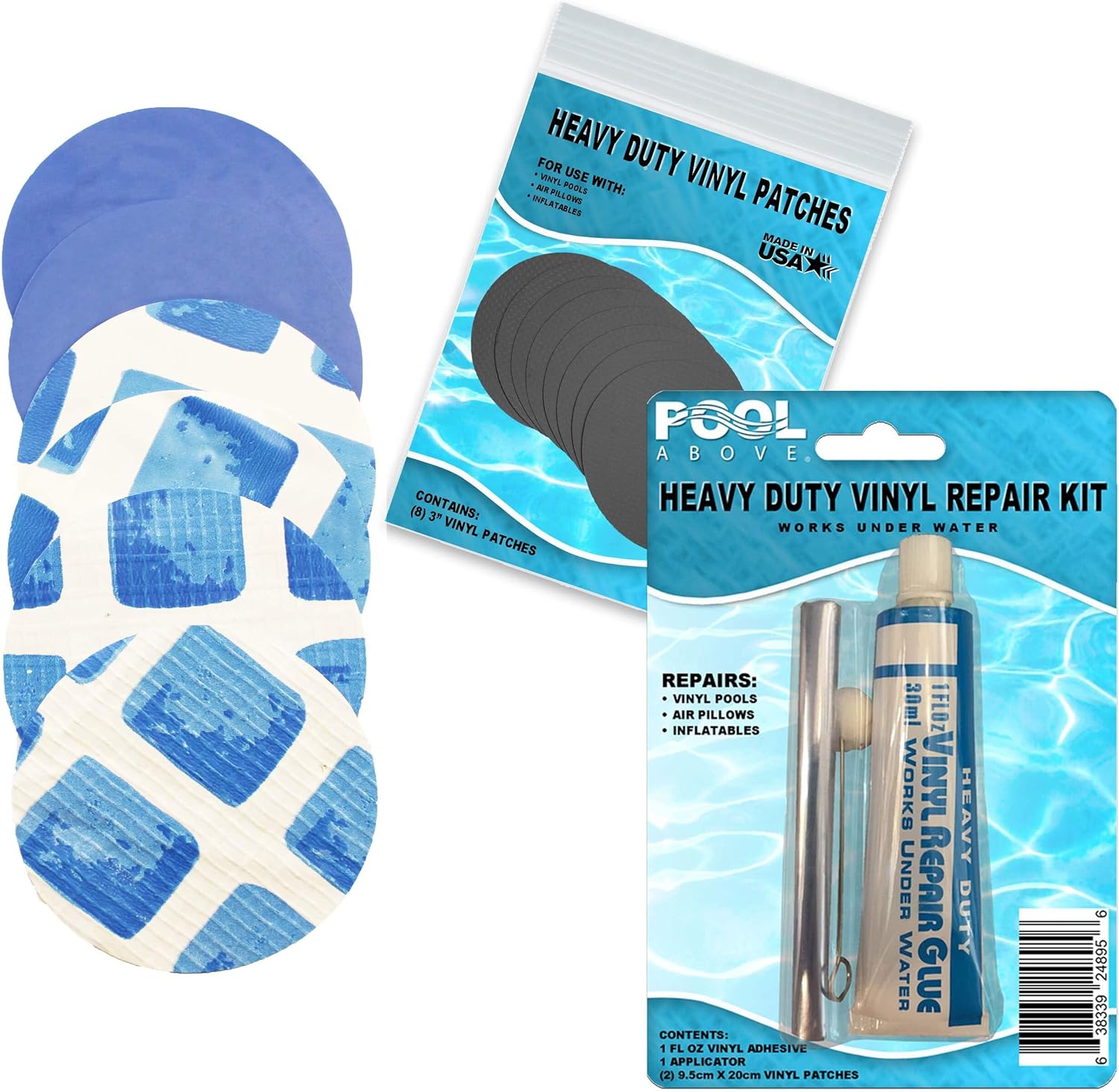
- How to Fix a Leak: Your Intex spa came with a vinyl patch kit. For small punctures, this is very effective. Follow the instructions carefully: clean the area, apply the adhesive, and press the patch on firmly. Let it cure for several hours before reinflating fully.
Two spots deserve extra attention because they’re so frequently mistaken for a liner puncture: the hose fittings where the control base connects to the tub, and the drain plug at the base of the spa. A slow drip at either of these is usually a loose connection or a worn O-ring rather than a hole in the vinyl, and it’s a much cheaper, five-minute fix. Hand-tighten the fitting collars (avoid pliers, which can crack the plastic threads), and if the drain plug is the culprit, check that its rubber gasket hasn’t hardened or shifted out of place.
Problem: The Control Panel Buttons Are Unresponsive or Erratic
Occasionally the physical touchpad or button panel on top of the control base starts behaving oddly — registering presses you didn’t make, ignoring presses you did make, or cycling through settings on its own.
- Solution #1: Dry the Panel Completely: Splashed water sitting on a touch-sensitive panel is the most common cause of phantom or missed inputs. Power down, dry the surface thoroughly with a soft cloth, and let it air-dry for 20-30 minutes before testing again.
- Solution #2: Perform a Full Power Cycle: Unplug at the wall for a full 10 minutes rather than just pressing the power button. This clears the panel’s internal state in a way a normal power-off sometimes doesn’t.
- Solution #3: Check for a Stuck Button: Physically inspect each button for debris underneath the edge of the membrane, especially sand or dried sunscreen residue, which can make a button feel “stuck” in the pressed position.
- Solution #4: Update or Reinstall the App Pairing: On Wi-Fi enabled models, a control panel that seems to fight with manual input is sometimes actually receiving conflicting commands from the Intex Link app. Force-close the app, or temporarily unpair the spa, and see if manual control panel behavior returns to normal.
Part 4: Intex Link Wi-Fi App Troubleshooting
Newer PureSpa models pair with the Intex Link smartphone app, which is convenient right up until it isn’t. Because the app relies on your home Wi-Fi, your phone’s location permissions, and the spa’s own Wi-Fi module all working together, there are more points of failure here than with the physical control panel alone.
Jet and Sanitation Controls Missing From the App After Pairing
This is a known issue on both Android and iOS that typically traces back to an outdated app build rather than a fault with the spa itself. Update the Intex Link app to the latest version available in the App Store or Google Play Store, then fully close and reopen the app before attempting to control those functions again.
App Crashes During Registration, Password Reset, or Schedule Editing
Reports of crashes specifically when creating an account, resetting a password, or editing a saved heating schedule on iOS are common enough that Intex addresses them with routine app updates rather than device-specific fixes. Before assuming your phone is the problem, check for a pending app update. If you’re already current, try uninstalling and reinstalling the app, which clears any corrupted local cache that may be causing the crash.
Not Receiving the Verification Code During Registration
The verification code used to confirm your account is typically sent within about five minutes. If it hasn’t arrived, check your spam or junk folder first, then confirm you entered the email address correctly with no typos. If several minutes pass with nothing, requesting a fresh code usually resolves it, since occasionally the first attempt is lost in transit rather than never sent.
Difficulty Pairing the Spa With Home Wi-Fi
iPhone users report this most often, and it almost always comes down to location permissions. The app needs permission to access your phone’s location in order to complete Wi-Fi pairing, even though that seems unrelated to a hot tub. During setup, when prompted with an option like “Allow While Using App,” accept it rather than declining, since declining silently breaks the pairing handshake on many iOS versions. On Android, you’ll see a similar prompt asking to allow location access during use; accept this as well, and double check you’re entering your Wi-Fi network name (and BSSID, if requested) exactly as it appears in your router settings, since hidden or 5GHz-only networks can also cause pairing to stall.
App Displays Overlapping Text or Missing Buttons
This is a display-scaling issue rather than a functional bug. Intex continues to refine the app’s interface, but in the meantime you can work around it by reducing your phone’s display or text size. On most Android phones this is under Settings, then Display, then Text and Display Size, where lowering the “Display size” setting shows more on-screen content with smaller elements. On some devices this is instead labeled Screen Zoom, found under Settings, Display and Brightness, and View, where switching from “Zoomed” to “Standard” achieves the same result.
Pro-Tip: The App Is a Convenience, Not a Requirement
Every function available in the Intex Link app is also available directly on the physical control panel. If you’re mid-troubleshooting and the app is fighting you, don’t let it become the bottleneck — walk over and use the buttons on the spa itself while you sort the app out separately.
Part 5: Cloudy, Foamy, or Smelly Water (No Error Code Involved)
Not every spa problem shows up on the display. Water chemistry issues are entirely separate from the electronics, but they’re some of the most common complaints owners search for, and they can eventually cause real problems, like premature filter clogging that leads right back to an E90.
Cloudy or Hazy Water
Cloudiness is almost always a chemistry or filtration issue rather than a mechanical one. Start by testing your chlorine, pH, and total alkalinity with a reliable test strip kit, since any of the three being out of range can cause haze. If your levels look reasonable but the water is still cloudy, check the filter cartridge for clogging or overdue replacement. When both of those check out and the water remains stubbornly cloudy, a non-chlorine shock treatment often clears it within 24 hours. If it still doesn’t resolve, a full drain, wipe-down, and refill is the reset button for water that’s simply gotten away from you.
Excessive Foam on the Surface
Foam is typically a byproduct of personal care products, laundry detergent residue on swimwear, or body oils and lotions building up in the water faster than the filter can remove them. Encourage anyone using the spa to rinse off with a quick shower beforehand, and avoid washing swimsuits in regular detergent, since fabric softener residue is a particularly stubborn foam trigger. A dose of a dedicated defoamer product provides a fast, temporary fix while you address the root cause.
Unpleasant Smells (Not a Strong Chlorine Smell)
Counterintuitively, a strong chemical smell usually means you need more sanitizer, not less; it’s a sign of chloramines (used-up chlorine byproducts) rather than excess chlorine. A musty or “swampy” smell, on the other hand, more often points to biofilm building up inside the hoses or filter housing, areas the sanitizer doesn’t fully reach during normal circulation. A specialized pipe/line flush product, run through the plumbing before a full drain and refill, addresses this at the source.
Green or Discolored Water
Green tint is a strong sign of algae growth, which takes hold quickly once sanitizer levels drop too low, especially in warm weather with lots of direct sunlight. A shock treatment followed by restoring proper sanitizer levels typically clears mild cases within a day. Persistent or recurring green water despite correct chemistry can also indicate metals (commonly copper or iron) in your fill water, which a metal sequestrant product can help control on the next refill.
Part 6: Winterizing & Off-Season Storage
An enormous number of “my spa won’t turn on” and “E95” support tickets each spring trace back to a spa that wasn’t properly winterized the previous fall. Standard Intex PureSpa units are not designed to run, or even sit full of water, in freezing conditions, so a proper shutdown routine matters as much as any troubleshooting step in this guide.
- Balance the Water Before Draining: This sounds backwards, but bringing chemistry into range before you drain reduces scale and residue buildup on the liner and plumbing during storage.
- Drain Completely: Use the built-in drain plug and let gravity do the work, tilting the empty tub slightly at the end to coax out the last of the water pooled in low spots.
- Purge the Heater and Pump Lines: Any residual water left inside the internal plumbing of the control base can freeze and crack components even though the main tub is empty. Running the pump briefly with the drain open, or using a wet/dry vacuum on the intake and outlet ports, helps clear trapped water.
- Dry Everything Thoroughly: Wipe down the liner inside and out, and let all components air dry fully before folding or storing. Packing away a damp liner is one of the most common causes of mildew and odor problems discovered the following spring.
- Clean and Dry the Filter Separately: Never store a used filter cartridge wet or dirty. Clean it, let it fully dry, and store it somewhere it won’t get crushed.
- Store Indoors If At All Possible: A garage, basement, or climate-controlled shed is far better than an unheated outdoor deck box, particularly for the control base and its electronics.
- Loosely Fold, Don’t Crease Tightly: Sharp, tight folds held in the same position for months can weaken the vinyl along the fold lines. Roll loosely where your storage space allows.
If you’d rather not deal with a full seasonal teardown every year, some households opt for a model designed for colder-weather use instead, which we cover in our guide to the best inflatable hot tub for winter.
Part 7: Model-Specific Notes and Differences
“Intex PureSpa” isn’t a single product; it’s a whole family of models spanning several generations, and small differences between them explain why a fix that works perfectly for one owner sometimes doesn’t quite match what another owner sees on their display.
Standard PureSpa (Bubble/AirJet)
The base line, using an air-blower bubble system rather than water jets. Most closely matches the E90–E97 codes covered earlier in this guide, with no saltwater-specific codes since these use standard chlorine or bromine sanitation.
PureSpa with Saltwater System
Adds the electrolytic cell responsible for E91 (low salt) and E92 (high salt). If your control base display never shows either of these codes no matter what you do, confirm whether your specific unit actually includes saltwater sanitation before assuming a sensor fault.
PureSpa Plus
A newer, higher-output line. Owners sometimes see error codes referenced simply as “39” or “90” rather than the “E” prefix in some support documentation, but the underlying meaning (filtration/flow and heater faults) lines up with the E90 family described above.
Older SSP-H Series (e.g., SSP-H-20-1)
Earlier hardware generations sometimes describe faults in plain language on a simpler display rather than a two-character code — for example, listing “household circuit breaker tripped” or “not heating properly” directly as the message, with causes like a dirty filter cartridge or a failed heating element listed underneath.
Whatever model you own, your control base label (usually on the underside or back edge) lists the exact model number. Keep this handy any time you contact support or search for a replacement part, since filter cartridges, hose fittings, and even patch kits are not always interchangeable across the full PureSpa lineup.
Part 8: Advanced Diagnostics — Testing the Pressure/Flow Switch
Most owners never need to go this deep, but if you’ve methodically worked through every solution above for an E90, E97, or the “jets run but heat won’t kick in” problem and nothing has changed, the pressure switch (sometimes called a flow switch) itself may have failed. This section is more technical, and if you’re not comfortable working with a multimeter around electrical components, this is the point to call a pool/spa technician instead.
Safety First
Always fully unplug the unit at the wall — not just power it off at the panel — before opening any housing or disconnecting wiring. Never test live electrical components with wet hands or while any part of the system is still connected to water.
- Locate the Switch: The pressure switch is typically threaded into the stainless-steel heater manifold inside the control base housing.
- Disconnect the Wiring: With power fully off, disconnect the two wires running to the switch.
- Bridge the Circuit Manually: Using a short length of scrap wire, briefly jump the two contacts where the switch’s wires were connected. This simulates the switch being in its “flow detected” closed position.
- Restore Power and Test: Turn the power back on and, with the jumper wire still bridging the contacts, check whether the heater element receives voltage using a multimeter (expect either 110V or 220V depending on your region and unit).
- Interpret the Result: If voltage is present at the heater with the switch bridged, but the heater never activates normally with the switch reconnected and water flowing, the pressure switch itself is very likely faulty and due for replacement. If there’s still no voltage even with the circuit bridged, the fault lies elsewhere in the control board, and this becomes a job for Intex support or a qualified technician rather than a switch swap.
Part 9: When to DIY vs. When to Call Intex Support
Nearly every guide like this one risks giving the impression that every problem has a home fix. Most do — but knowing when to stop is just as valuable a skill as knowing the next troubleshooting step.
- Safe to DIY: Filter cleaning/replacement, water level checks, airlock purges, salt testing and dosing, patching small vinyl punctures, resetting a GFCI that trips only occasionally, clearing debris from inlet/outlet grids, and basic app/Wi-Fi pairing troubleshooting.
- Proceed With Caution: Opening the pump housing to check for a wrapped impeller, testing a pressure switch with a multimeter, and cleaning an electrolytic cell. These are still doable for a confident DIYer but involve more disassembly and, in the switch-testing case, live electrical components.
- Call a Professional or Intex Support: A recurring E96 after a hard reset, a GFCI that trips instantly and repeatedly regardless of location or cord condition, any sign of a damaged heating element, a control unit with no display after all basic checks, or anything that would require opening the sealed control base itself. Attempting to repair these yourself can void what remains of your warranty and, in the case of the heater and control board, poses a genuine electrical safety risk.
Part 10: Proactive Care to Prevent Future Headaches
The best troubleshooting is prevention. A solid maintenance routine will prevent the vast majority of errors.
Your Maintenance Bible
This troubleshooting guide is for when things go wrong. To stop them from going wrong in the first place, you need a proactive plan. Our definitive guide to Inflatable Hot Tub Maintenance is the perfect companion to this article. It covers the simple weekly schedule that will keep your water balanced and your filter clean, preventing most E90 errors before they ever happen.
Similarly, cloudy or green water isn’t a pump problem; it’s a cleaning and chemistry problem. Our guide on how to clean your inflatable hot tub covers how to solve and prevent these issues.
Finally, remember that setting up your tub correctly on a level surface is the foundation of a problem-free experience. If you’re struggling, revisiting our inflatable hot tub setup guide can help.
Frequently Asked Questions
Why does my Intex PureSpa keep showing E90 even with a brand-new filter?
If a fresh filter doesn’t clear an E90, move on to checking the water level against the MIN/MAX lines, then inspect the inlet and outlet grids inside the tub for hidden debris, and finally try the airlock purge described earlier in this guide. A persistent E90 despite all of these usually means the flow sensor itself needs professional attention.
Is it normal for my Intex spa to cycle on and off throughout the day?
Yes. Most PureSpa units run the pump/filter in scheduled intervals rather than continuously, and the heater cycles on and off to maintain your set temperature once it’s reached. Continuous, uninterrupted running for days at a time is actually what triggers the automatic “END” shutoff after 72 hours.
How long should it take an Intex PureSpa to heat up from cold?
Heating rate varies by model and ambient temperature, but most PureSpa units raise the water roughly 2-4°F per hour under normal conditions with the cover on. A full heat-up from a cold fill to a typical spa temperature can reasonably take anywhere from 12 to 24+ hours, which is why many owners simply leave the heater running continuously between uses rather than heating from scratch each time.
Can I use table salt instead of pool salt to fix an E91 error?
No. Table salt typically contains anti-caking agents, iodine, and other additives that can damage the electrolytic cell or cloud the water. Always use pure, non-iodized pool-grade salt specifically intended for saltwater pool and spa systems.
Why does my spa show an error code but nothing seems wrong with the water?
Sensors do occasionally misread, particularly right after setup, a water change, or a period of disuse when residual air is still working its way out of the lines. A full power cycle (unplugging for several minutes rather than just pressing the panel’s power button) clears a surprising number of “phantom” error codes that aren’t tied to an actual physical fault.
Does using the GFCI reset button count as turning the spa off?
It shouldn’t be used that way. The GFCI reset is meant only for clearing an actual ground-fault trip, not as a routine daily on/off switch. Regularly cycling power through the GFCI instead of the control panel’s own power button is a known trigger for the E82 transmission signal failure covered earlier.
My spa’s jets still run even though the heater shut off — is that a problem?
Not necessarily on its own. The air-blower jets and the heater/filtration pump are on largely separate circuits in most PureSpa models, so it’s possible for one to keep running while the other shuts down due to a flow-related fault. If this happens regularly, though, work through the flow and pressure-switch checks covered in this guide rather than ignoring it.
How often should I actually replace the filter cartridge, not just clean it?
Rinsing and lightly scrubbing a filter can extend its life for a few cycles, but the pleated media does wear out. As a general rule, plan on a full replacement every 2-4 weeks of regular use, or sooner if you notice reduced flow even immediately after a thorough cleaning.
Can I run my Intex PureSpa in winter if I keep the heater on constantly?
Standard PureSpa units are not rated for freezing ambient temperatures regardless of how hard the heater runs, since exposed external plumbing and fittings can freeze even while the main body of water stays warm. If winter use is a priority, look at models specifically built for cold-weather operation rather than pushing a standard unit past its design limits.
Why did my saltwater system suddenly stop producing chlorine?
The most common causes are low salt (E91), a scaled-up electrolytic cell that needs a vinegar soak, or water temperature that’s dropped low enough to slow the electrolysis process significantly. Confirm salt levels first, since that’s the fastest and cheapest check.
Is a musty smell coming from my spa dangerous?
It’s generally not an immediate safety hazard, but it does indicate biofilm or organic buildup that sanitizer levels alone aren’t reaching, usually inside the internal plumbing. A dedicated pipe/line flush product before your next drain and refill typically resolves it.
Why does the Intex Link app ask for my phone’s location just to connect to Wi-Fi?
This is a limitation of how modern phone operating systems handle Wi-Fi network scanning rather than anything specific to Intex; both iOS and Android require location permission for apps to detect and connect to nearby Wi-Fi networks during setup. Declining this permission is one of the most common reasons pairing fails.
What’s the difference between the E94/E95 temperature codes and E98?
E94 and E95 relate specifically to the water temperature sensor reporting an extreme high or low reading. E98 is a broader overheat protection that can also be triggered by high ambient conditions around the control base itself, even if the water hasn’t technically reached the E94 threshold.
Should I drain my spa completely between every use?
No — with proper sanitizer levels and regular filter maintenance, most owners keep the same water for roughly 1-3 months before a full drain and refill, similar to a small pool. Draining after every single use is unnecessary and wastes both water and the effort of rebalancing chemistry each time.
My control panel is unresponsive but the pump is still running — what does that mean?
This usually points to the touch panel itself (often from residual moisture) rather than a deeper system fault, since the pump continuing to run confirms the control base is receiving power and functioning. Dry the panel fully and perform a complete power cycle before assuming a more serious fault.
The Final Word: You’ve Got This!
While a page of error codes can be intimidating, you are now armed with the knowledge to diagnose and fix almost any issue your Intex PureSpa throws at you. By working through these steps calmly, you can solve the problem and get back to what matters: enjoying your personal slice of paradise. Remember that a little preventative maintenance goes a long way in ensuring a long and happy life for your spa.
And if you ever decide it’s time for an upgrade or want to see what else is out there, our comprehensive roundup of the best inflatable hot tubs has all the latest and greatest models, from compact 4-person tubs to large family-sized spas.